
Turn a Quiz Into a Lead Machine With Score-Based Next Steps
Quizzes are one of the friendliest ways to get leads. People like answering a few quick questions about themselves. And you learn exactly what they need.
But for a long time, most quizzes ended the same way: everyone landed on the same results page. Whether someone was a perfect fit or just browsing, they all saw the same thing.
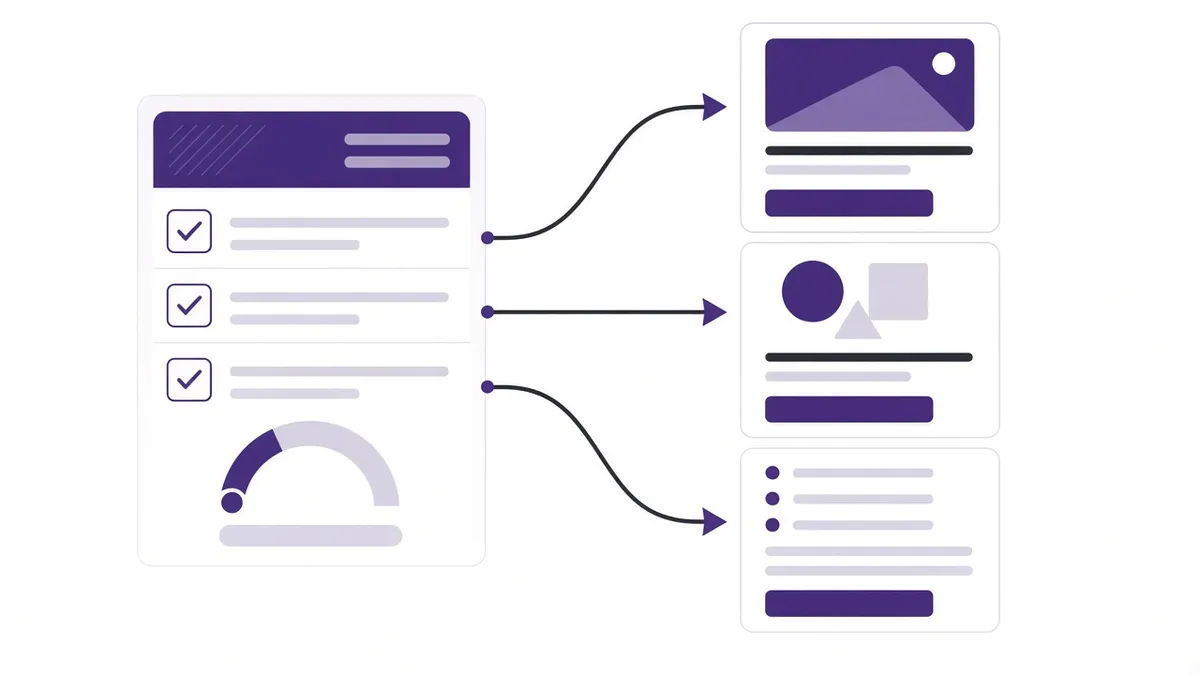
In the funnel tools we build for clients, you can now use conditional logic on quizzes with redirect to URL. In plain terms: you can send people to different pages based on how they answered. Here's how that can turn a simple quiz into a real lead machine for your Vancouver business.
What's possible
You can set rules that say, “If someone scores this, send them to that page.” Instead of only the default Quiz Results page, you choose a custom redirect.
Quick definition: “conditional logic” means “if this, then that.” A “redirect” just means automatically sending someone to another web page.
The rules can use these quiz score fields:
- Overall Score — the total score for the whole quiz.
- Category Score — the score within a specific category.
- Highest Category — the category where the person scored highest.
- Lowest Category — the category where they scored lowest.
“Categories” are groups of questions. For example, a marketing quiz might have categories like “Website,” “Social Media,” and “Follow-up.”

Why this matters for small businesses
When you send people to the right page, three good things happen:
- They feel understood. The page speaks to their exact situation.
- They're more likely to take action — book, buy, or reach out.
- You get better leads, because people sort themselves into the right path.
Four ways to use it
1. “Which service is right for me?”
A Burnaby home services company could ask about the problem, the size of the job, and timing. If someone's highest category is “Plumbing,” send them to the plumbing booking page. If it's “Electrical,” send them to the electrical page.
2. Readiness quizzes for coaches
A Vancouver business coach could run a “Are you ready to scale?” quiz. High overall score → book a strategy call. Medium score → join the group program. Lower score → download a free starter guide.
3. Knowledge or skill checks
A fitness studio or training provider could check where someone is starting from, then send beginners to the intro class page and experienced folks to the advanced program.
4. Category-specific journeys
A marketing quiz could send someone whose lowest category is “Follow-up” to a page all about follow-up systems — showing them exactly where they need help most.
How to set it up: step by step
- Decide your paths first. Before touching the software, write down 2–4 outcomes. What page should each type of person land on?
- Build or pick your destination pages. Each path needs a page — a booking calendar, a service page, a free guide, or an offer.
- Set up your quiz with scores and categories. Give each answer a score, and group questions into categories if you want category-based routing.
- Add Conditional Logic. Choose Redirect to URL and set your rules — for example, “Overall Score is greater than 20 → redirect to booking page.”
- Test every path. Take the quiz yourself a few times, answering differently each time, and make sure you land on the right page.
- Add follow-up. Pair the quiz with an automation so each lead also gets a friendly text or email that matches their result.
Tips for a quiz people actually finish
- Keep it short. 5–8 questions is plenty for most small businesses.
- Use everyday words. Ask “How soon do you need this done?” instead of “What is your project timeline?”
- Make results feel helpful, not salesy. The page should give real value first, then offer the next step.
- Don't send anyone to a dead end. Even low scorers should land on something useful, like a free guide.
What's coming next (not available yet)
More quiz logic options are on many product roadmaps. These are often upcoming, not released everywhere:
- Display Custom Message — show a message based on answers.
- Disqualify Lead — politely screen out people who aren't a fit.
- Show/Hide Fields — change which questions appear based on earlier answers.
For now, redirects are the big one — and they're already enough to make a quiz much smarter.
The bottom line
A quiz that sends everyone to the same page is a missed opportunity. With score-based redirects, the right people land on the right page — and your booking calendar does more of the work for you.
If this is something you want to simplify, send me a message and we’ll map out what makes sense for your business. You can also see how I build websites and funnels for local businesses.
— Simon, SMA Ventures


